Monday, August 21, 2017

The 3 functions of the iPhone 8 that will revolutionize the smartphone industry

If the rumors are correct Apple will present an iPhone 7s, an iPhone 7s Plus and an iPhone 8 during the first two weeks of next September. The iPhone 8 (iPhone X, iPhone Edition, iPhone Anniversary ...) will be launched to celebrate the tenth anniversary of the smartphone and will have many improvements in both design and performance level.
The company's iconic apple-bite smartphone has always had a big impact on the mobile phone market . There are many companies that look at the iPhone to offer their consumers the most advanced technology and the most useful features. And the iPhone 8 will bring a series of news that the world will dream of having.Must Read:iphone eraser
If you lost data after you updated to a new iPhone, you can always use Gihosoft iPhone Data Recovery to get the data back from the old iPhone or backup.You may also like: iphonerecovery.com
If you use android phones, please choose Gihosoft Android Data Recovery.
In a way, Apple helps other companies provide technology for mass adoption . It's not about copying, it's about making a better world. The three functions discussed below will change the course of the smartphone industry. In fact, they may come to transform your future smartphone, whatever your brand.

Face Recognition

The first feature that will have a major impact on the smartphone market is face recognition (or iris recognition). Apple could replace the technology of its Touch ID fingerprint sensor or complement it with this security protection that will automatically recognize the user's face. Although Apple's top rival Samsung has already incorporated this technology, if Apple implements it on the iPhone will have a much greater impact.

Wireless charge

It is said that Apple always takes an existing technology to improve it and serve it on a silver platter to its consumers. The company is late for wireless charging , but they have been working very hard to offer a system that will revolutionize the market . In fact, this will greatly favor consumers who choose to buy a mid-range smartphone in the next 2 years. All will have wireless charging. Bye cables!

Augmented reality

We know that Apple has focused many of its efforts on developing an augmented reality technology for its iPhone 8. After the success of Pokémon GO, Apple knows that there is much future in this feature. Its ARKit platform has already demonstrated everything developers can do in their applications . And this will not only revolutionize the mobile phone industry ... it will change the world.

How to charge your iPhone in just 5 minutes ?

We know that the management we make of the battery of our favorite device is crucial.Now that we are in the summer, and therefore, with many free and happy hours, we "drink" the battery in a percussion. If we are lucky we can charge, but sometimes we get a local and we must ask the favor to let us load it. We are going to give you a couple of tips to maximize that load time to maximum and to find us as much as possible.

Remove the cover

Yes, it is not nonsense. Any electronic device generates heat when charging and if we remove the case we are doing a good double. In the first place, it will be charged in a little less time, and then we will prevent it from suffering unnecessarily .

Do you have an iPad charger?

Better yet, we will manage to scratch a few tenths that can be very good if we have little time. It has been proven that we won between 3-6% of time with this gesture .Must Read:Tips:

Charger and original cable

These accessories, whether original or at least certified by Apple , take full advantage of the load flow. We have commented in many occasions that it is not worth buying these accessories in Chinese bazaars, something more that the load is at stake.

Airplane mode

We do not tire of repeating it, airplane mode only provides advantages. When activated, our iPhone will be completely covered, that is, its antennas become unusable (Wi-Fi, Mobile Data, and Bluetooth), so that our device is not going to spend innceseraia to go looking for signals or networks. In addition, we know that when receiving any notification lights the screen, and this entails extra battery expenditure . So if you want to optimize your load, plane mode on.
So you know, if you have little time to connect your iPhone to a plug, follow these tips and you can optimize the load . We look forward to you in the next article.

Sunday, August 20, 2017

Scan, sign and send documents on iOS 11


Scan, sign and send documents on iOS 11


Consider a situation: You receive a letter that includes a really important document inside. For this to be taken into account, it should be sent as soon as possible to an email address. However, remember that you do not have any scanners, and that you only have an iPad or an iPhone. Then, thanks to the renewed iOS 11 Notes app , you may have been saved.Must Read:best iphone recovery software


The new version of iOS brings a lot of new features, but if there is something that stands out especially, it is in the aspect of productivity. One could say that iOS 11 is the most efficient mobile operating system that has been created, since it includes several utilities that drastically improve the use of the devices for certain tasks. Among them, is precisely the edition of digital documents.Must Read:iMyFone D-Back iPhone Data Recovery–Recover Deleted Data from Your iPhone/iTunes/iCloud Easily! If you lost videos from iOS Camerall Roll which are nowhere to download again, you can use Gihosoft iPhone Data Recovery to get back deleted videos from iOS device including iPhone, iPad and iPod Touch.
Jihosoft iPhone Backup Extractor Extract and recover all types of data from iPhone backup files, such as camera roll photos, videos, SMS, contacts, reminders, WhatsApp, and etc.
Gihosoft Android data recovery Free is a super awesome software specialized in Android file recovery. With this program, you are able to recover deleted photos, music, videos, messages, contacts, call logs, WhatsApp messages, Viber chat history and more from Samsung, Huawei, LG, HTC, Motorola, Google, Oneplus, Sony, Lenovo, ZTE and other Android devices directly. Meanwhile, this Android data recovery software is available for both Windows and Mac platforms.


Edit your documents with the help of your Apple Pencil


Thanks to the new iOS update, the Notes app has received a few new features including, for example, the ability to scan documents with the iPad or iPhone camera. To do this, just access the application, create a new note, and touch the add menu, represented by a +. There you can select the option to scan documents , which will create an image of what you want to scan.


Must Read:how to make ipad faster


Once you have done so, you can save the file, and, if you use an Apple Pencil, you can sign directly in the document to send it right afterwards through the share menu. You can also access from the same menu the dialing tool, which allows you to do the same function but without using an Apple Pencil . Thus, you can begin to forget the annoying scanners and have to be always close to one.

Friday, August 18, 2017

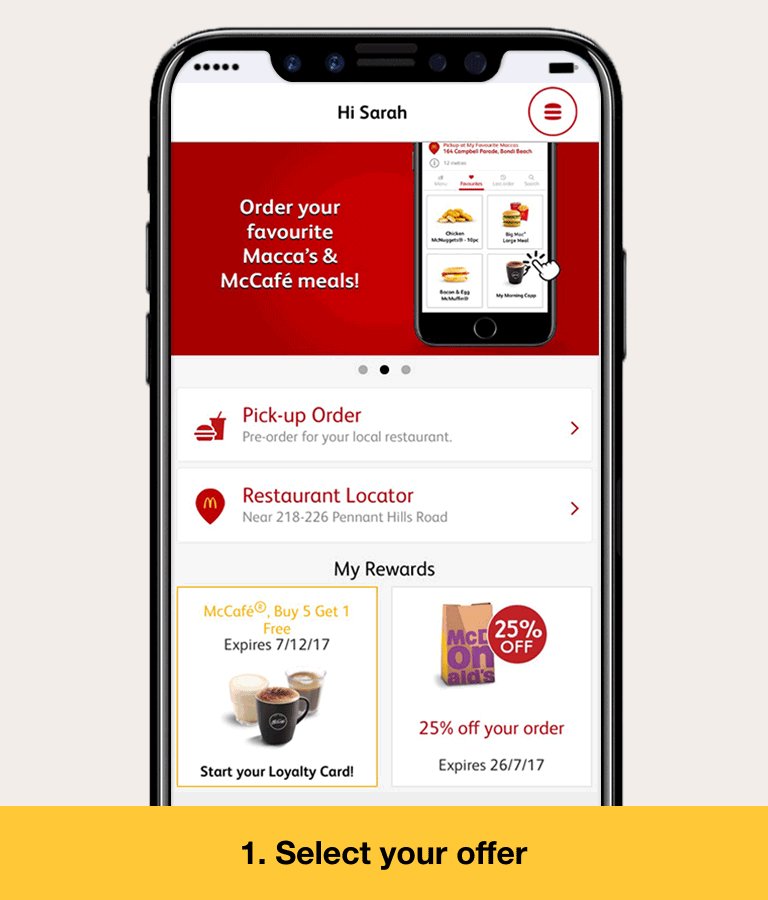
McDonald's filters iPhone 8 design in its latest ad

What better way to generate interest in your last advertising campaign than to filter an image of the most anticipated product of the year? Hint: we're not talking about food, but the iPhone 8. At McDonald's they know it and have not hesitated to do it through e-mail.And is that if everyone waits for the iPhone 8 , why not show how your app is in an unofficial render terminal of the year? Assured success.Also Read:Watch and Play YouTube Videos Frame by Frame
This is what the creative brand of fast food restaurants in Australia have done to showcase their new app, but they are not the first to play with our hype . A few months ago the Italian singer Tiziano Ferro played the lookup in a video clip in which appeared a terminal that met all the requirements to be the iPhone 8.
And let's face it, an advertising campaign based on a food app does not usually become viral because even though it is useful, it is not exciting. But the thing changes when the application is on the iPhone 8, which with all due respect for the competition, is the mark of design, quality and innovation no matter how much Samsung, OnePlus or Nokia strive to give a blow of the table.Also Read:Like iDope to Search for Torrent Files in 2019
As you can see in the photograph and the GIF, it is an iconic terminal that does not require additional text or of course the bite apple so characteristic: borderless screen except in the upper area where the front camera and face recognition And iris.That split status bar is unmistakable. In addition, the iOS interface is obvious.Must Read:ipad white screen
Must Read:does itunes backup photos
By the way, this render was initially filtered by Apple guru Benjamin Geskin on his Twitter account. Geskin himself has confirmed that it is his render, something that sounds as if he had not asked permission or charged for its use. True or more controversial to increase popularity?iOS 12 Beta Problems & Fixes for iPhone, iPad and iPod Touch 2018 Update

iOS 12 introduces several significant new features like Memoji, Siri Shortcuts, Screen Time for keeping track of the time you're spending on your iOS devices, Group FaceTime with up to 32 people, new parental controls, ARKit 2.0, and more.

Along with all of the major additions, there are dozens of smaller, more hidden features. In our latest YouTube video, we've pulled out several of the most useful, less well-known features that are included in the iOS 12 update.


iOS 12 Developer Beta 4 Problems and its Solutions


Apple announced Shortcuts App in iOS 12 Developer Preview but No-Shortcut App in the iOS 12 Developer Beta in Beta. So you will have to wait till next Beta.
iOS 12 Beta 4
New Features & Changes
Toggles now have a bolder outline
New “Suggested photos” and “Suggested effects” in the For you tab of the Photos app
New Issues in iOS 12 Beta 4 Developers
An error message might appear while attempting to install an app
The cellular signal status bar indicator on iPhone X might be inaccurate while on the Lock Screen or the Home Screen
Screen Time: Usage data and settings might not sync between devices
Siri Shortcuts might not work while using CarPlay, on HomePod might result in an error message, might not be restored from iCloud backup, might not work if a device is locked, and might be delayed or result in an error message
Field Test mode crashes to home screen if you try for 2nd time (iPhone X Qualcomm Modem) Try dialing *3001#12345#*
Video thumbnails in Photos app may be blank.


iOS 12 Beta 3
New Features & Changes
New “Apple Maps” map data in San Francisco Bay Area
Added “Share My Location” in Apple ID (#100)
Redesigned Voice Memo app on iPad
Photos app only shows
list of categories your photos belong to (no longer a huge list with 0 photos).
New animation when 3D touching ‘Clear All Notifications’ (Video) and available on non-3D Touch devices
Slight tweak to CC background blur intensity
Battery graph now shows when you were in Low Power mode
Ability to clear a notification with one swipe like iOS 11
Watch app shows the only Siri face as a new Siri watch face and list apps that
supports this watch face
Added more customization options for Memoji on iPhone X
Location Services setting shows “Location Services settings also apply to your Apple Watch”
Removed Do Not Disturb in System Services under Location Services setting
Safari Suggestion Autofill UI returned to beta 1 (#210)
Ability to 3D Touch on the Now Playing bar in Podcast app
Wallpaper gradient returns
New “screen time” no longer removes the little microphone when using stock keyboard, even when “Siri and dictation” is turned off.
New Issues Discovered of iOS 12 Beta 3
Calendar: While in Day view, an event might appear on an unexpected date
A “No SIM” notification might be displayed when restarting iPad if an Apple SIM is inserted with no active data plan
Your device might not register for iMessage and FaceTime using your phone number
Your device’s phone number might not be displayed in Phone > Contacts
The Cellular Data section in Settings > Cellular might refresh continuously
Screen Time data might not synchronize across iOS devices
Get Here: Fix iOS 12 GPS Problems
Remaining Issues in iOS 12 Beta 3
Activity: The route map for a workout might be unavailable
Inviting iOS 11 users who have multiple email addresses associated with their Apple ID to a home might not succeed
Certain languages may exhibit clipped or misaligned layout or display unlocalized text
Group FaceTime calls cannot be initiated between iOS 12 beta 3 and the first iOS 12 beta release
iPod touch (6th generation), iPhone 5s, iPhone 6, iPhone 6 Plus, iPad mini 2, iPad mini 3, and iPad Air support only audio (no video) during Group FaceTime calls in iOS 12 beta
In iOS 12 beta, Camera Effects in Messages is available only on iPhone SE and iPhone 6s or later and is unavailable on iPad. Camera Effects in FaceTime is available only on iPhone 7 or later and is unavailable on iPad
Wi-Fi calls might end unexpectedly when transitioning from Wi-Fi to cellular while on the T-Mobile network
Adding shortcuts to Siri might fail for shortcuts with images in PDF format
Siri Suggestions for Shortcuts are enabled on iPhone 6s or later, iPad Pro, iPad (5th generation or later), iPad Air 2, and iPad mini 4
Voice Memos don’t sync to iTunes
The wallet might unexpectedly quit on launch
3-second delay when trying to open an app from the Dock after swiping up on SpringBoard to go to
home screen (when on page 2, 3 etc)
Third Party Apps Issues New Issues
Fortnite might unexpectedly quit during use
Remaining Issues
Clash Royale bug on iPhone X only; Open Clash Royale, Go to card collection but nowhere else, set your brightness to zero. It will start to stutter. You can make it smooth again using multiple methods; 1. start screen recording, 2. increase brightness, or 3. enable smart invert. Sometimes, making a screenshot will trigger the lag as well as getting a notification; this will sometimes either stop or start the stuttering
Auto-Lock screen doesn´t work in iBooks neither in normal and Power Save Mode.
Netflix might unexpectedly quit when downloading a video
Resolved Issues
Some EA games (Real Racing 3, Sims 3 Free Play) might unexpectedly quit on launch
Some users might be unable to log in to or view account information in the Bank of America app
Citi Mobile might unexpectedly quit on launch
Untapped 3.3 resolves the issue of being unable to log in or load the app
Taobao might unexpectedly quit on launch
Twitter might display a blank login screen
Skype might unexpectedly quit after logging in
If you ever lost or accidentally deleted data from your iOS device, you can use the professional Gihosoft iPhone Data Recovery software to retrieve important data from iPhone, iPad or iPod Touch even without backup.
Jihosoft iPhone Backup Extractor Extract and recover all types of data from iPhone backup files, such as camera roll photos, videos, SMS, contacts, reminders, WhatsApp, and etc.

Source: Macrumors

iOS 12 Beta bugs Discovered

iOS 12 Beta 1 Personal Hotspot feature might won’t work for everyone.
Screen Time Info Grayed out– There are some of the iPhone X users reporting that Screen Time toggle or button not showing up!
Dictionary feature is not available in iOS 12 Beta 1.
iPhone X keeps restarting in iOS 12 Beta while launching certain Apps like Camera App, Settings App etc.
Keyboard suggestions words overlap with each other in certain iOS 12 Apps.
Pandora Music app is broken in iOS 12 beta 1.
Video Chat Skype app might force quite after logging in.
Notification badge icon can’t work properly for many Apps.
The iOS 12 new Effects are not working in the Camera app in Messages.
Certain mobile banking apps are not working Accurately.
Fortnite Mobile Game won’t work properly under iOS 12 beta for now.
Third Party Navigation App integrates into CarPlay in iOS 12: in iOS 12 beta 1 neither Google Maps nor Waze appeared in CarPlay.
Popular EA games like Real Racing 3 probably crash after first time launching.
There’s a keyboard glitch in Facebook Messenger if you switch between conversations.
Cellular/ Mobile data icon is shown on Wi-Fi only iPads.
Scanner pro and Notability App these both apps are broken and crashes after launch
Animoji won’t work in FaceTime
iOS 12 beta widget issue – weather widget not showing up when you disable DND while Sleeping
FaceTime Video effects crashing
Fortnight Mobile crashes on iPhone X but it running smoothly on iPad iOS 12
Safari suggestions are not working on certain iPhone, iPad and iPod Touch.
Fix iOS 12 Beta Apps Crashing
Don’t forget to bookmark this page, I’m sure that I’ll update this page twice in a day for iOS developers and iOS 12 Public beta testers. More, if you found in new iOS 12 features, changes, and glitches then Comment us! Thanks for your support.
Via | Cult of Mac

Wednesday, August 16, 2017

How you can set up parental controls on your Mac ?

Sharing your Mac with other members of your family serves as the best way to access family photos, videos, albums and even shopping lists, without the need for a nearby iPhone or iPad. While this is pretty convenient, one major drawback is that your children can access your personal data on a shared Mac.
Fortunately, macOS allows you to set up parental controls on your shared Mac. This is a great feature, as it disables access to your personal apps, websites, and stores. In other words, you are setting limits for a child’s computer’s usage.
In this tutorial, we will run you through the steps to set up parental controls on your Mac. Before proceeding with our step-by-step guide, make sure that your PC is now running macOS Sierra or newer.
  1. Steps to set up a user account

To set up parental controls on your Mac, you first need to set up a separate account for your child (note that this is a restricted account and you can decide exactly what your children can or cannot do on your computer)
Step one: First off, you need to head to Apple Menu and select System Preferences from the pull-down menu
Step two: Next up, click on Parental Controls and then hit the Lock icon at the bottom to enable the ability to make changes to your account. (You will be asked to enter your password to complete the task)
Step three: Hit the Add (+) button in the bottom left to add a new user. From the popup window, fill in the information for each section given and then click Create User to complete the task.Related Read:iMyFone recover deleted text messages iPhone without backup
  1. Steps to use parental controls on your Mac

Once you have created an account for your child, the next step is to limit the child’s Mac access to specific applications. Here is how.
Step one: Click on Open Parental Controls at the button to get started. On the next screen, you can decide which apps your child should have access to on your computer 
Step two: Next up, check the box next to Limit Applications on this Mac. Check out the box below, and check/uncheck Other Apps or Utilities to allow or disallow all apps at the same time.
Step three: If you want to allow your child’s access to website with appropriate content, select the Web tab. From here, select the third option “Allow access to only these websites” and hit the plusbutton at the bottom. After that, select Add Bookmark to add a link
Step four: If you want to disable access to the iTunes Store, head to the Stores tab. Here, check or uncheck the options.
Don’t miss: Steps to send and receive text messages on your Mac
If you have got any issues during the process, feel free to let us know in the comments below.If you lost videos from iOS Camerall Roll which are nowhere to download again, you can use Gihosoft iPhone Data Recovery to get back deleted videos from iOS device including iPhone, iPad and iPod Touch.
Jihosoft iPhone Backup Extractor Extract and recover all types of data from iPhone backup files, such as camera roll photos, videos, SMS, contacts, reminders, WhatsApp, and etc.
Gihosoft Android data recovery Free is a super awesome software specialized in Android file recovery. With this program, you are able to recover deleted photos, music, videos, messages, contacts, call logs, WhatsApp messages, Viber chat history and more from Samsung, Huawei, LG, HTC, Motorola, Google, Oneplus, Sony, Lenovo, ZTE and other Android devices directly. Meanwhile, this Android data recovery software is available for both Windows and Mac platforms.

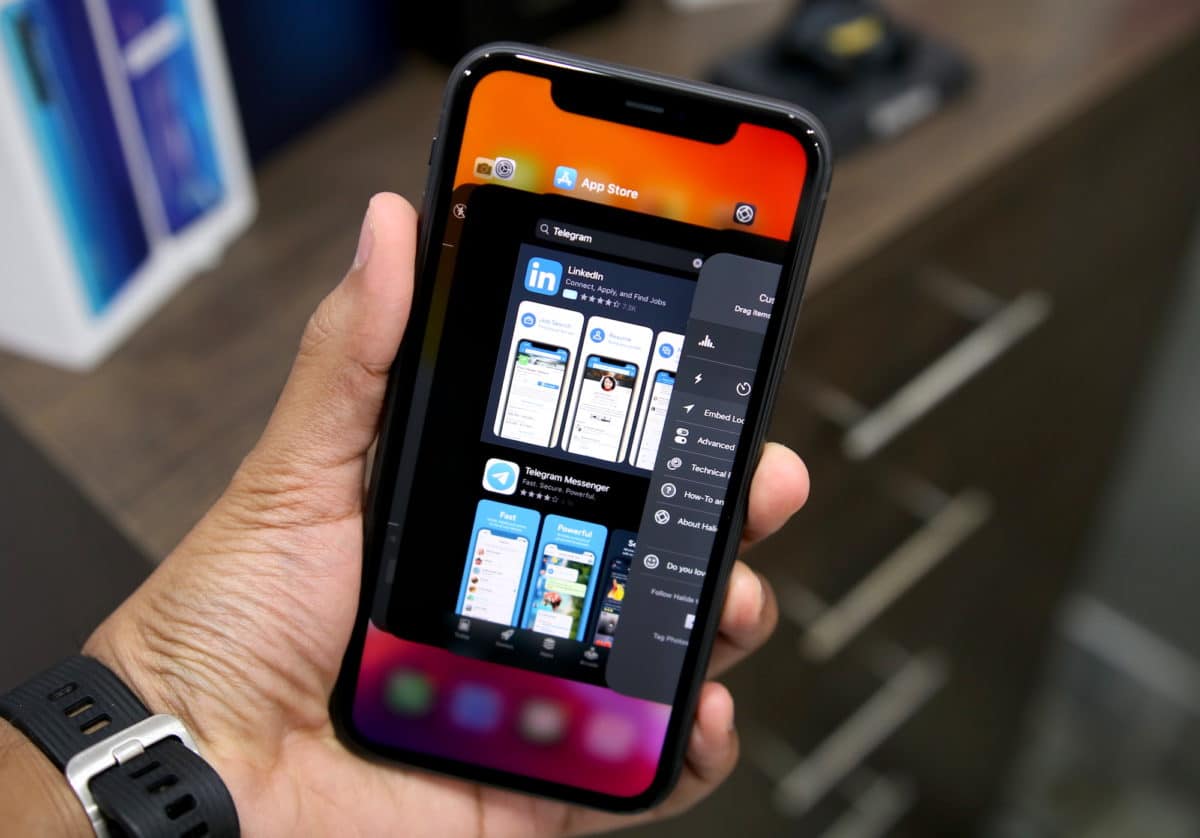
How to Close Apps on iPhone 11, iPhone 11 Pro, and iPhone 11 Pro Max

If you are upgrading to the iPhone 11 or iPhone 11 Pro from an iPhone 8 , iPhone 7, or lower, you are going to take a bit of time to get us...